13 Facebook Ads Features Every Marketer Should Know
Facebook is a channel that is changing all the time, which doesn’t always make it easy for busy marketers to keep up with each and every small change.
Aside from the common powerful marketing tools like lookalike audiences, there are additional Facebook features that are less prevalent but can make a world of difference for the right campaign.
This post will use the updated Business Manager navigation bar. This navigation update just introduced in late July and, as of publication, has not been released to all advertisers, so there might be some small differences in what you see and what is reflected in this post.
Facebook Tools
In my opinion, Facebook has a lot of great tools for advertisers that fly under the radar.
Many of these make advertising on Facebook easier, but you may not know about several of them.
Let’s hop in.
1. Third-Party Tag Integration
Setting up the Facebook pixel used to entail several steps, especially when it came to shopping carts and event tracking.
Back in 2017, Facebook made this process much easier with the integration tool that can be found within Business Manager.
Advertisers using Google Tag Manager, WooCommerce, Shopify, Magento, or BigCommerce can implement the Facebook pixel without touching the code to their website. Click on the link for each platform to see step-by-step instructions.
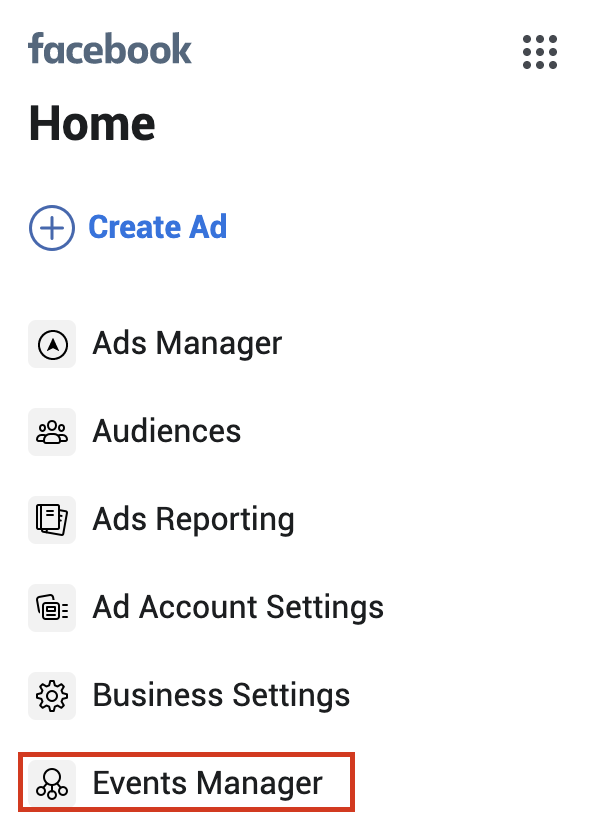
Get started by selecting “Events Manager” in the new Facebook navigation sidebar.
Click “View Setup Instructions” to see how to create your pixel.
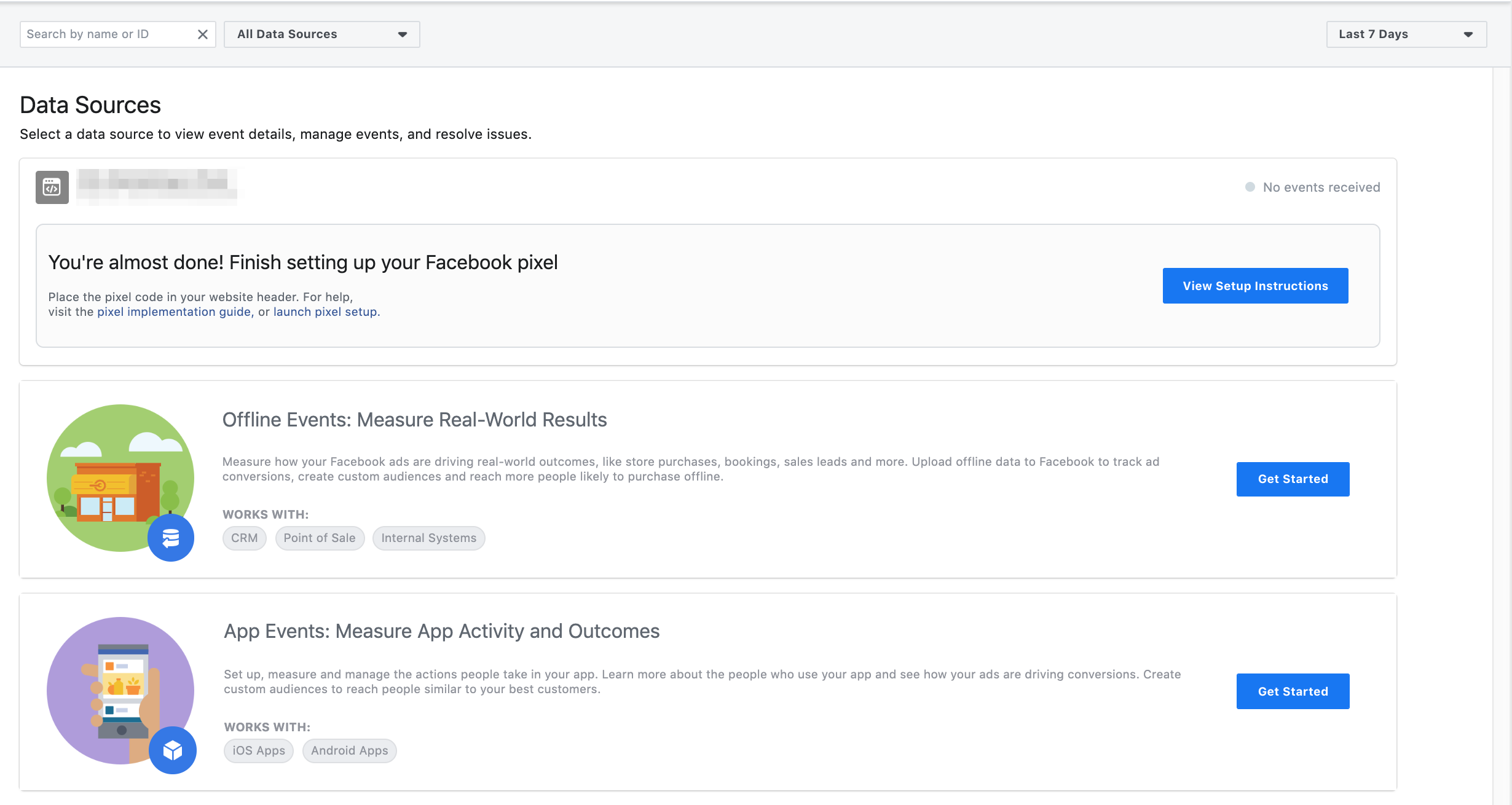
Follow the steps to get started and then use the next tool below to double-check your implementation.
2. Pixel Helper
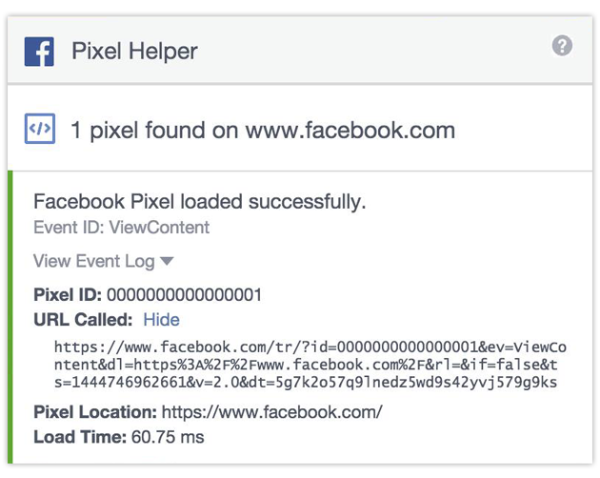
Before getting started in any channel, it’s important to not only set up your conversion pixel but also confirm it is firing properly.
Facebook’s Chrome extension allows advertisers to double-check implementation, troubleshoot their pixel and learn how to improve performance before launching campaigns.
Check out this list of error messages once you have downloaded the tool.
3. Creative Hub

Creative Hub is an ad mockup tool that allows users to test different ad types, placements, and ad elements.
These mockups can be saved for later reference.
Slideshow, video and interactive ads can also be tested here.
This tool can be very useful when pitching new ad types to clients.
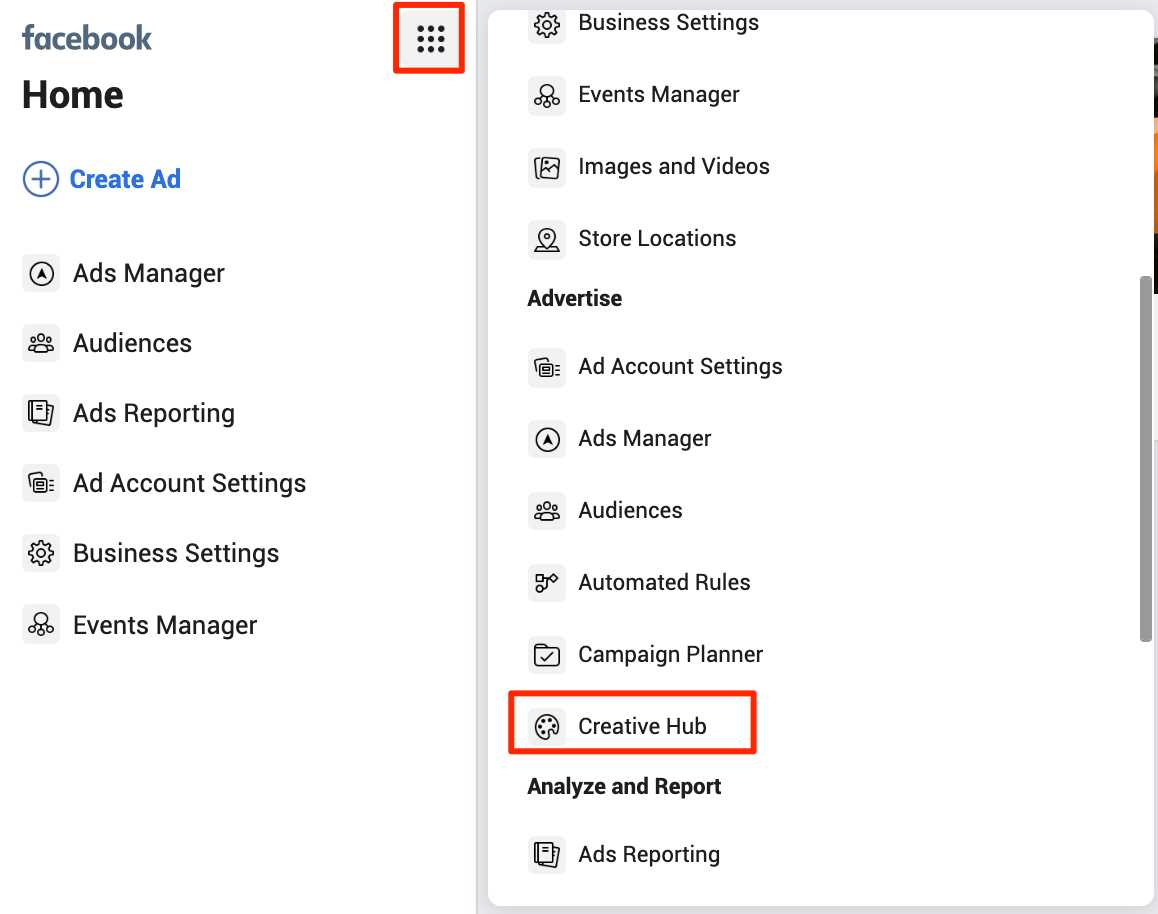
You can find Creative Hub in the Facebook navigation sidebar by clicking the “dot” button and scrolling down to “Advertise” > “Creative Hub”.
Comments
Post a Comment